
Your red team report deserves better than a shared drive
Your favorite red team firm just handed you a 35-page PDF.
The work is excellent. It documents real attack paths and chained findings that no scanner would surface. The harder task starts now. Each finding needs an urgency, an owner, and a place to live six months from now if you are going to get a return on this investment.
For most programs, that place is a shared drive, a SharePoint site, or a set of email inboxes. Scanner findings get pipelines, dashboards, and SLAs, but narrative findings get a folder. That includes red team readouts, pen test reports, internal audit observations, and even regulatory exam letters.
The most expensive findings a program buys all year are often the most inconsistently tracked.
The readout goes well, and everyone agrees there are findings worth remediating. Someone volunteers to enter them into “the tracker.” Three weeks later, half of them sit in a spreadsheet with severities copied from the report, and no one can say which are being worked.
Six months later, the re-test finds the same issues.
The cause is structural. Narrative findings are prose, and prose doesn’t fit the pipeline. Large programs with mature in-house teams have tried to close the gap by negotiating standard XML output with their testing firms. That effort pays off at scale, but every firm formats differently, the mapping work never ends, and building to your XML spec only raises the switching cost of the provider. Everywhere else, someone still reads the report, extracts each finding by hand (maybe), and hopefully cuts some Jira or ServiceNow tickets. That work loses whenever it competes with an active incident.
Adversarial Risk Management exists to make processes like these fast, consistent, and dependable. The platform automates the work that sits just below the panic line and normalizes risk from every source into one register.
Import via AI brings narrative findings into that register.
Next to the Add Risk button, select Import via AI and provide the document as delivered: PDF, Word, Markdown, or plain text. No reformatting is required. The AI reads the document and extracts the actionable risks, normalized to the fields, structure, and details that make a true system of record.
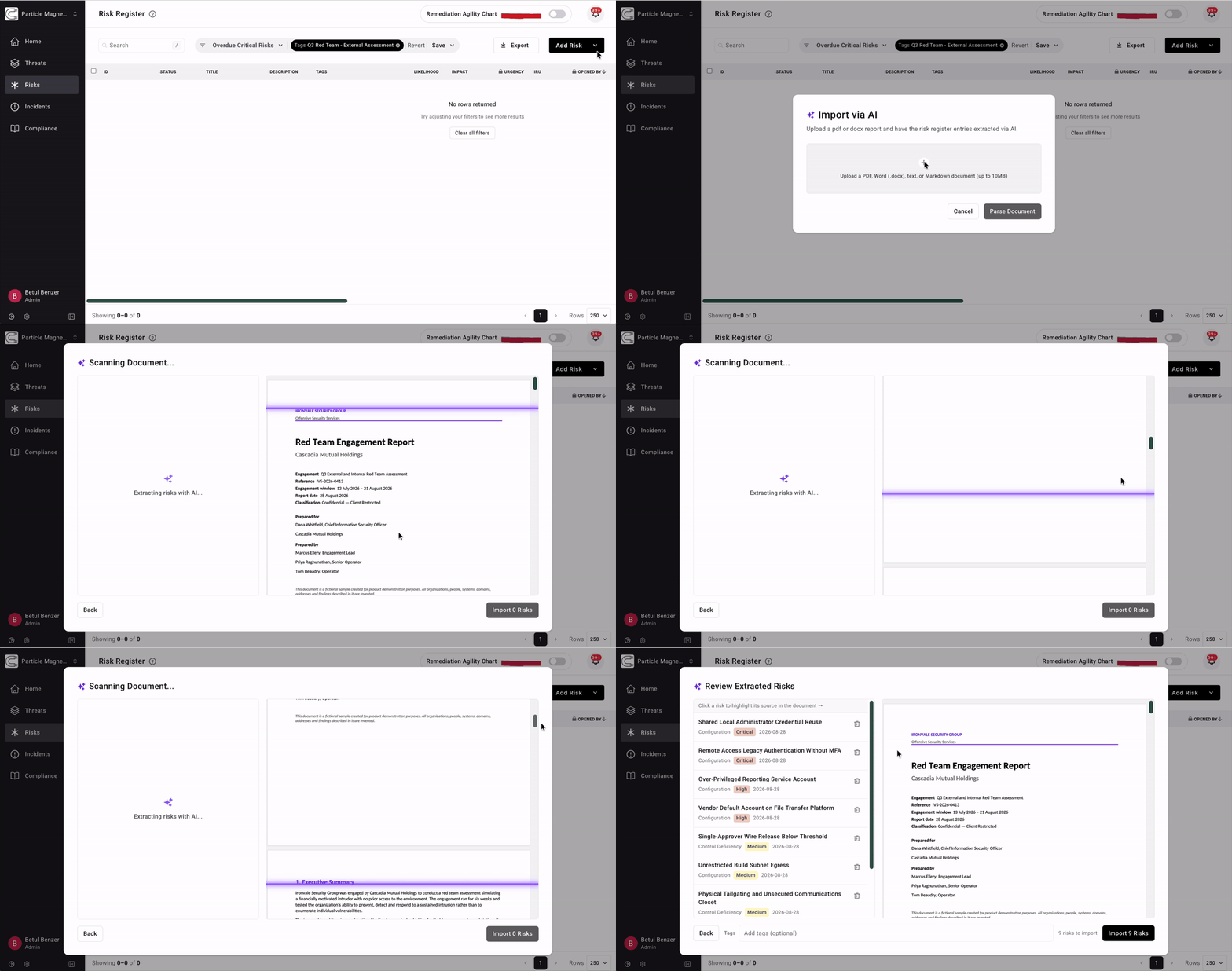
Some reports list findings in a summary table or appendix. Others bury them in prose across 40 pages. Many contain actionable risks that never reach the table. Import via AI extracts them wherever they appear. Each risk is previewed beside the source document, and selecting it highlights the passage it came from. Title, description, class, “initially reported urgency” (IRU), source, and discovered date are editable if needed, and land in the register with one approval click.
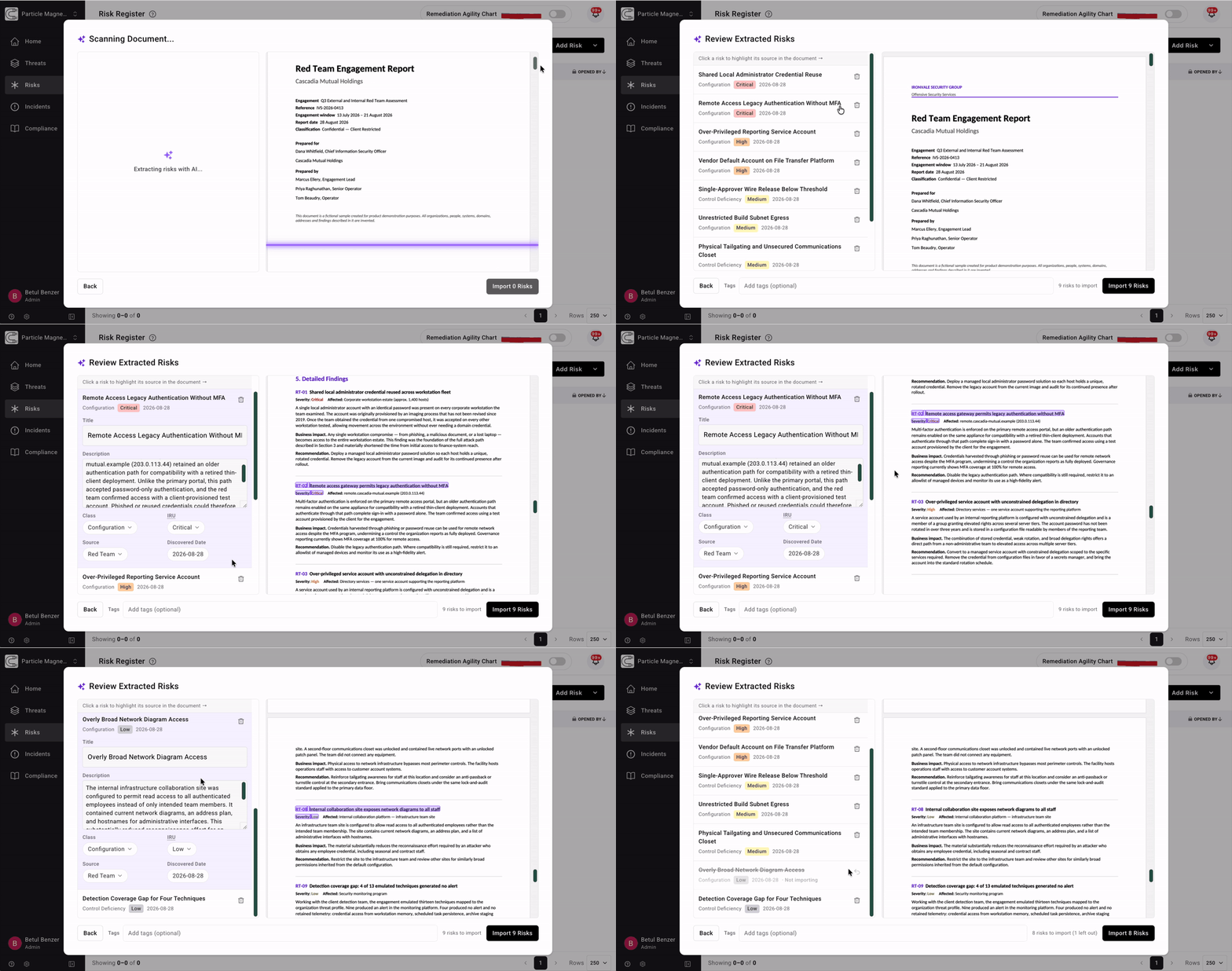
You can also tag the entire batch with the engagement tag, such as “Q3 Red Team: External Assessment.” Every finding keeps its origin from then on. Six months later, the report behind any engagement is one filter away.
The same path works for any unstructured source. Pen test reports, red team readouts, internal audit observations, program maturity assessments, and regulatory exam findings all enter the register the same way. Every finding, from every source, finally lives in one system of record. QUICKLY.
Once imported, these findings are risks in your register. They are scored in your organization's context, under the same written procedure as every other risk. The testers’ severity is preserved as the initially reported urgency. The urgency your program acts on comes from your procedure, with the rationale recorded. Each risk also maps to the threat objectives it affects, using the same taxonomy as your other risks and incidents. A credential-reuse finding from a red team engagement sits alongside every other risk to that objective.
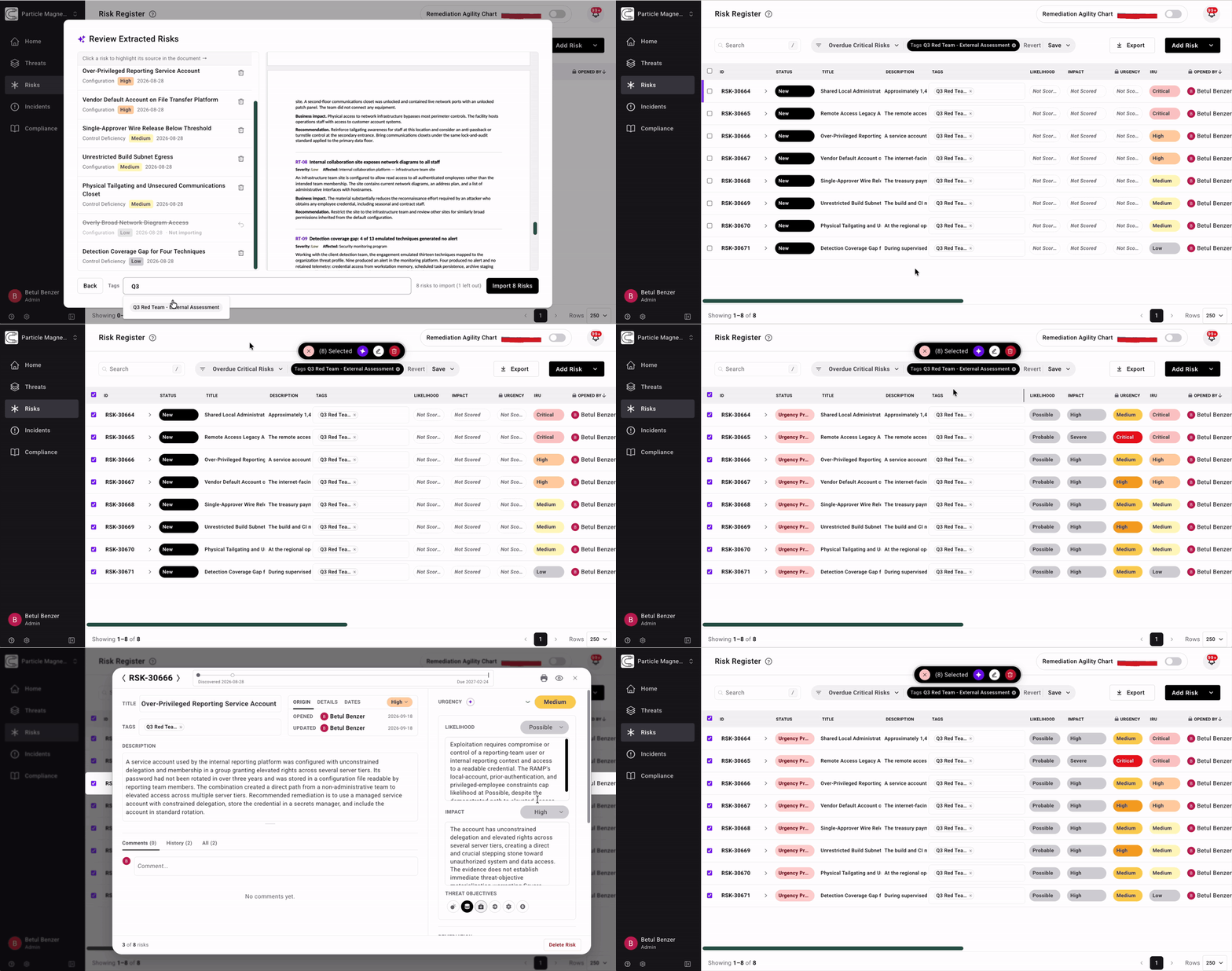
Narrative, ad-hoc assessments and reports get the same operational rigor as automated testing tools. Every finding is tracked, prioritized via your own documented procedure, tied to the threats it affects, and included in governance reporting. Offensive testing stops being a twice-a-year event and becomes data your program runs on.
Start with the reports you already have. Load the last year of readouts, audits, and exam letters, and see your risk register come to life.
That's Adversarial.